Read reports and export to QuickBooks
See billable hours, realization, collection and capture numbers, and send the books to QuickBooks Online.
Open Reports
Select Reports in the left menu and set the From and To dates. The page starts at January 1 of this year.
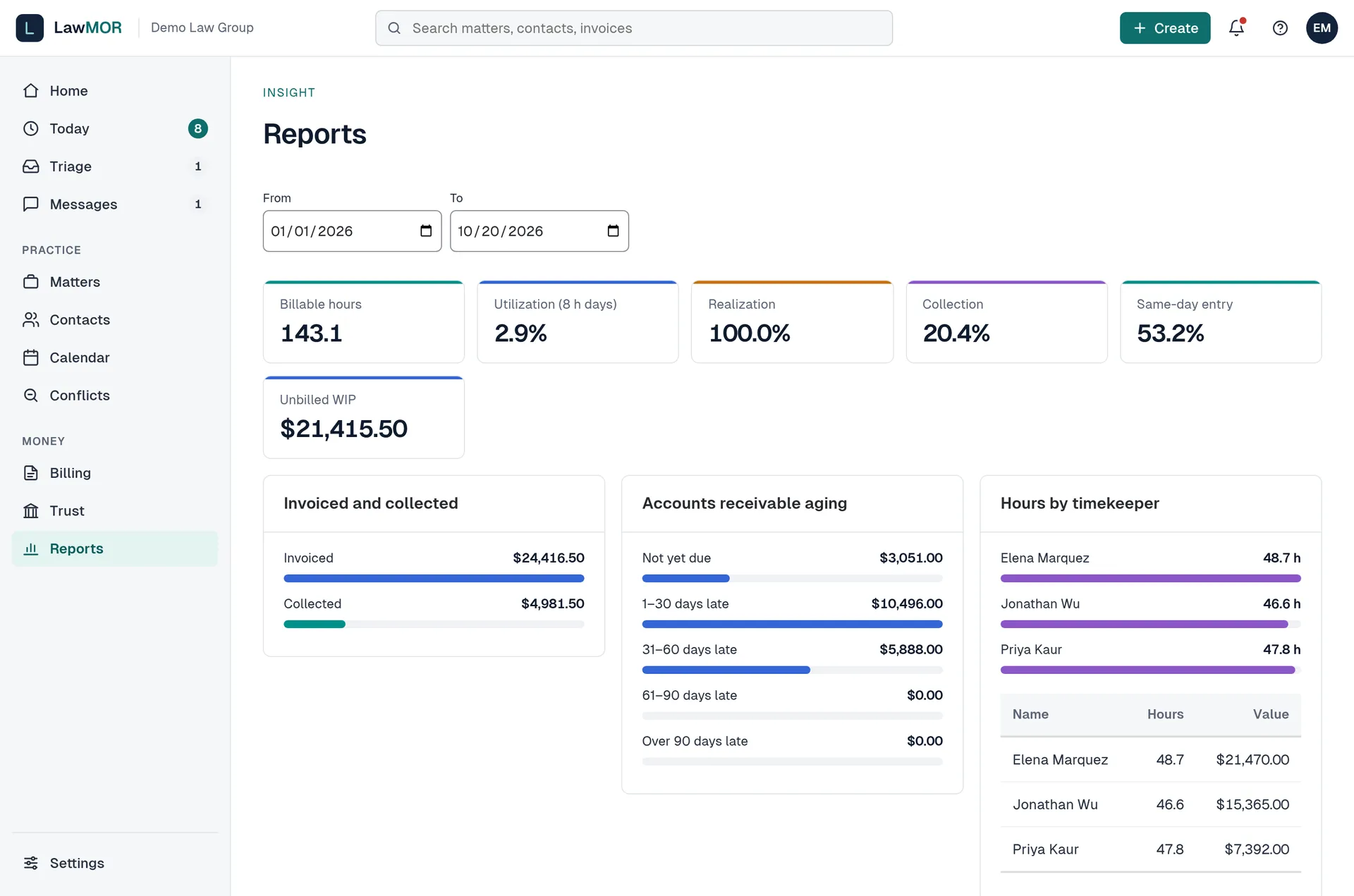
Reports. Read the numbers
The tiles show Billable hours, Utilization (8 h days), Realization, Collection, Same-day entry and Unbilled WIP. Charts show invoiced and collected, receivables aging and hours by timekeeper. Calls and texts captured shows how much was filed without help and how much captured time was approved.
Set up QuickBooks account names
In Billing, select QuickBooks export. Type each account name exactly as it appears in your QuickBooks chart of accounts and select Save account names.
Build and download the export
Under Export journal entries, choose the dates and select Build export. Check the tie-out table, then select Download CSV. Trust deposits are never exported as income, because money in trust belongs to the client until it is earned.
Did this not answer your question? Contact support and we will reply within one business day.