A tour of the home dashboard
What each part of the Home screen shows, and where the main menus are.
Open Home
Select Home at the top of the left menu, or the LawMOR logo. The page greets you and shows today's date. On a phone, the menu is the tab bar at the bottom: Today, Triage, Messages, Matters and More.
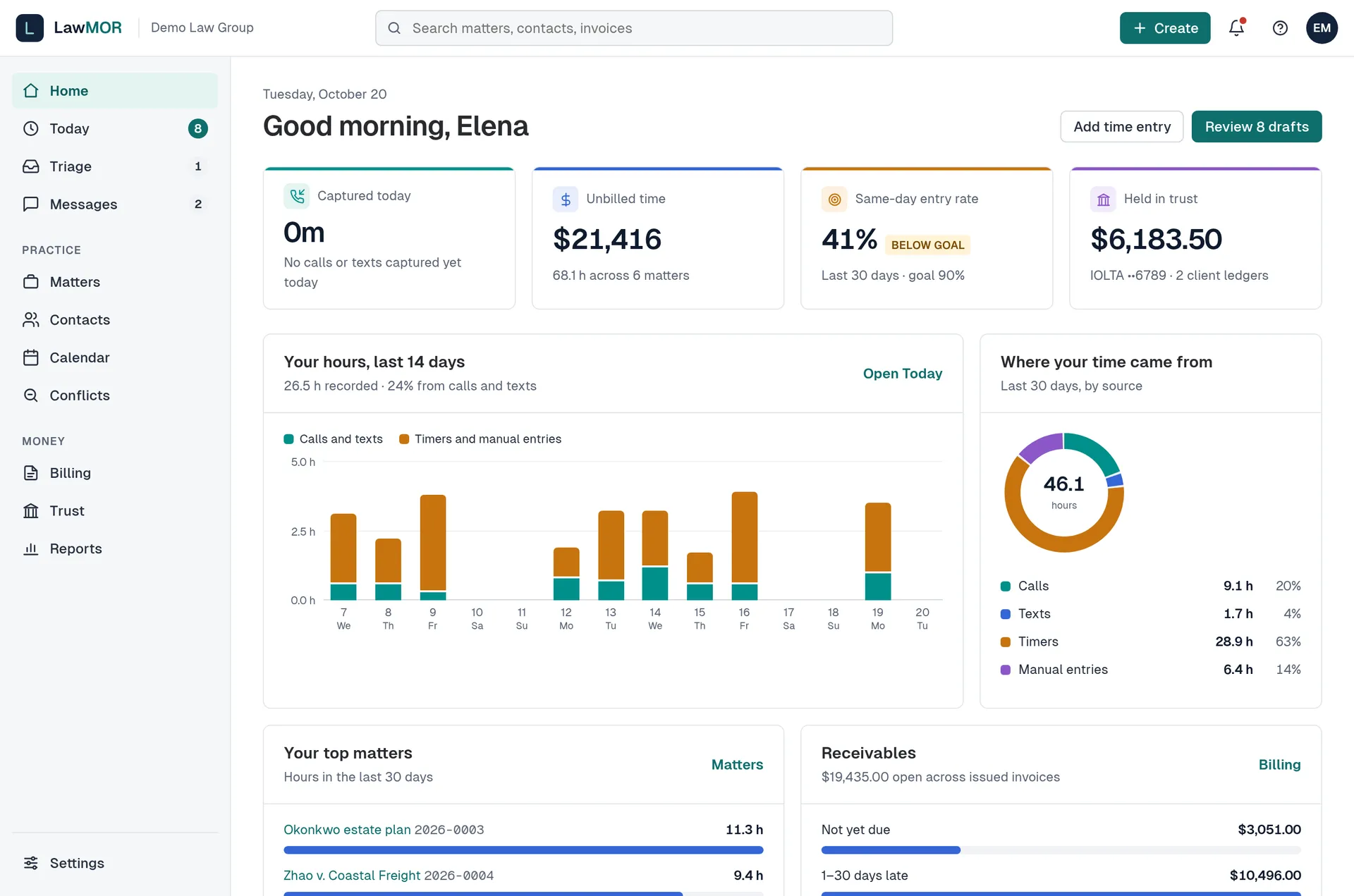
Home shows your day at a glance. Read the four tiles
Captured today is the time drafted from your calls and texts today. Unbilled time is approved time not yet on an invoice. Same-day entry rate compares you with the firm goal. Held in trust is the client money across trust accounts. A dash means the number is not shown to your role or cannot be worked out yet; hover over it to see why.
Approve drafts from Needs your review
Drafts made from your calls and texts are listed here. Only you can see them until you approve. Select Approve on a draft that already has a matter, or Choose matter if it needs one. After approving you can select Undo in the message that appears.
Check Triage and This week
The Triage card shows the newest calls and texts LawMOR could not file on its own; select Open to resolve them. This week lists deadlines, hearings and trust receipt notices due in the next 7 days.
Use the top bar
Search finds matters and contacts. Create opens a menu with Time entry, Timer, Matter, Contact and Conflict check. The bell lists drafts, triage items, unread conversations and trust items that need you. The question mark opens Help center, Contact support, System status and Security. Your initials open Your account, Settings, Switch firm (if you belong to more than one) and Sign out.
Did this not answer your question? Contact support and we will reply within one business day.