Run and resolve a conflict check
Search everyone the firm has represented or opposed, record the outcome, and keep a permanent PDF.
Start a check
Select Conflicts in the left menu, or the Conflicts tab on a matter, where the client and parties are filled in for you. Enter one name per line: the client, adverse parties, and related people and companies.
Run it
Tick Also search matter notes if you want, and select Run check. Matching is exact, fuzzy and sounds-alike.
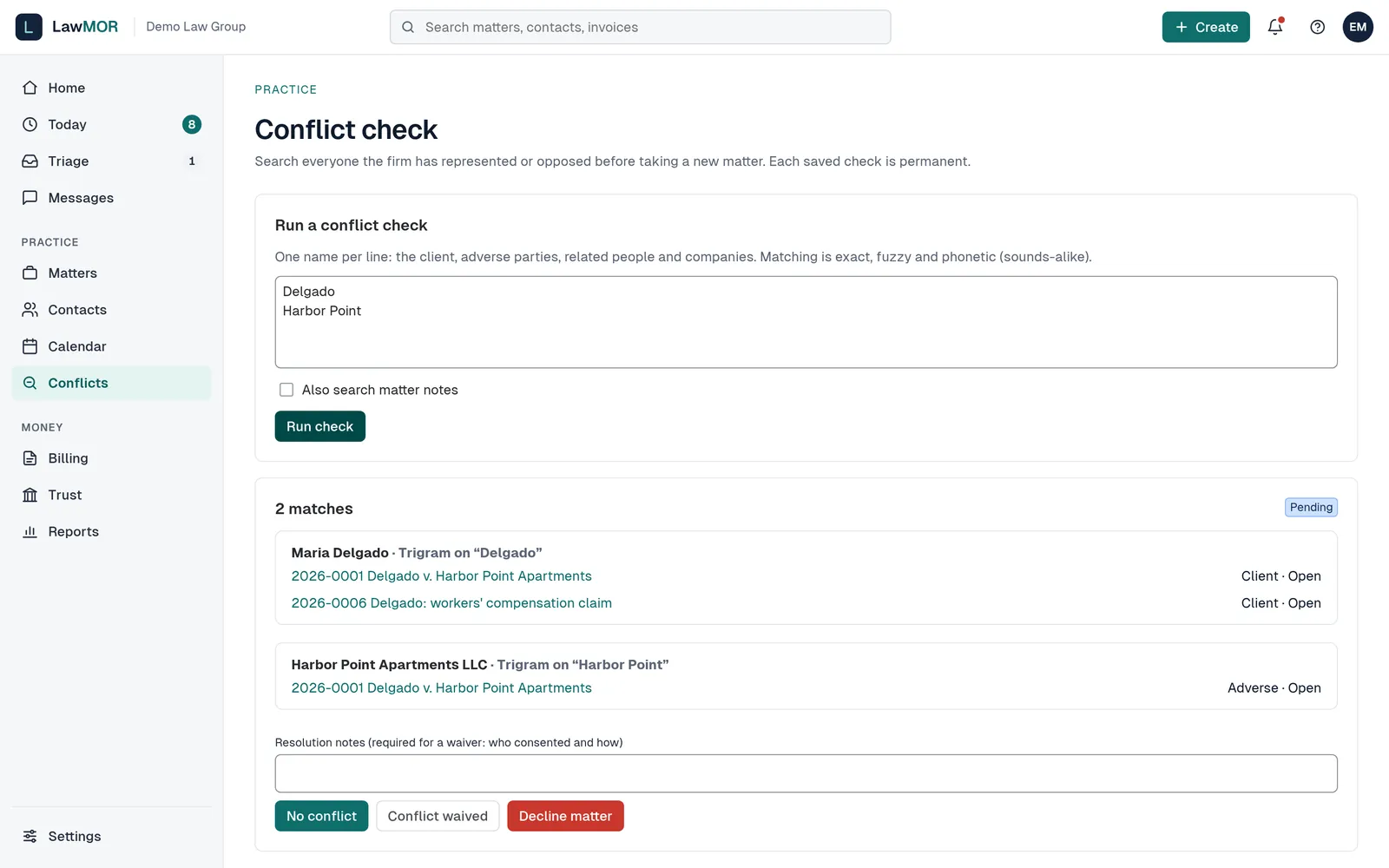
Conflict check results. Review the matches
Each match shows how it matched and the matters where that person or company appears, with their role and the matter status.
Record the outcome
Add Resolution notes, then select No conflict, Conflict waived or Decline matter. A waiver needs notes saying who consented and how. Once resolved, the record can no longer change; select Download PDF for a copy.
Did this not answer your question? Contact support and we will reply within one business day.