Connect your Outlook or Gmail mailbox
Link your own work mailbox so email with clients files itself to the right matter and you can write from LawMOR.
Open Email accounts
In LawMOR, go to Settings, then Email accounts. Each person connects their own mailbox; nobody else in the firm, including the owner, can read your mailbox through LawMOR.
Choose your email provider
Select Connect Microsoft 365 for Outlook, Office 365 or Outlook.com addresses, or Connect Gmail for Google Workspace and Gmail addresses. A button that says not available means LawMOR has not switched on that provider yet; contact support.
Sign in with your usual email login
A Microsoft or Google sign-in page opens. Sign in exactly as you do for email, including your second factor. LawMOR never sees or stores your password.
Allow LawMOR to read and send mail
The provider lists what LawMOR asks for: read your mail, send mail as you, and keep access so it can check every few minutes. Select Accept. If you see Need admin approval instead, your firm's IT administrator must approve LawMOR once; send them the guide Approve LawMOR for your firm.
Check the connection
You return to LawMOR and your mailbox shows Connected, with Reading and filing and Sending from LawMOR both Allowed. The first check looks back 7 days; after that LawMOR checks every 5 minutes. Select Check now to run it straight away.
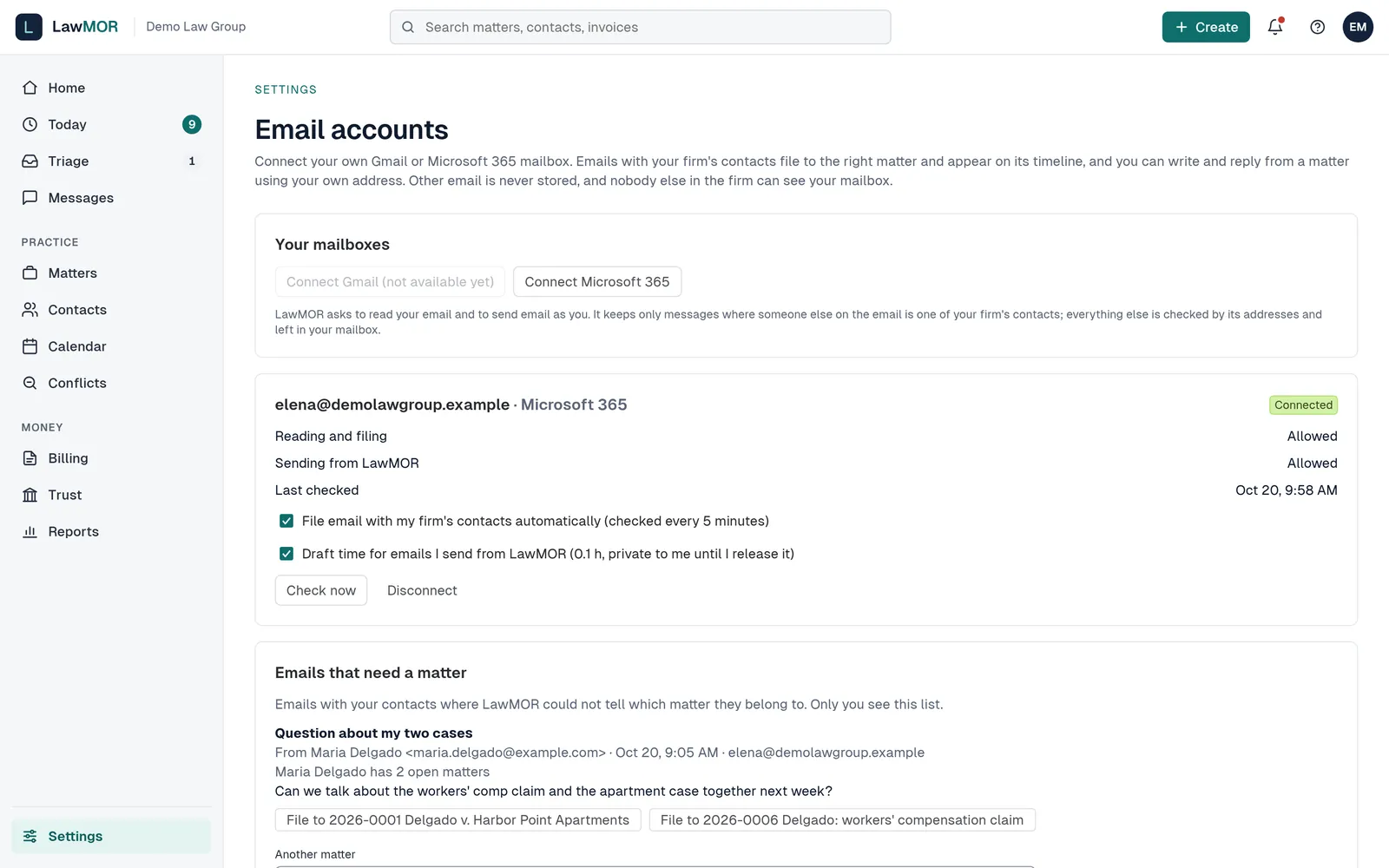
A connected mailbox in Settings, Email accounts. Choose your two settings
File email with my firm's contacts automatically turns the 5-minute check on or off. Draft time for emails I send from LawMOR creates a private 0.1 h draft for each email you send from a matter; it stays private until you release it and is never billed without approval.
Did this not answer your question? Contact support and we will reply within one business day.