Read, write and reply to email from a matter
See every client email on the matter, reply from your own address, attach matter documents and record the time.
Add email addresses to contacts
Open Contacts, select the client (or opposing counsel), and add their email under Edit, then Save. LawMOR files email by matching these addresses, so this is the step that makes filing work.
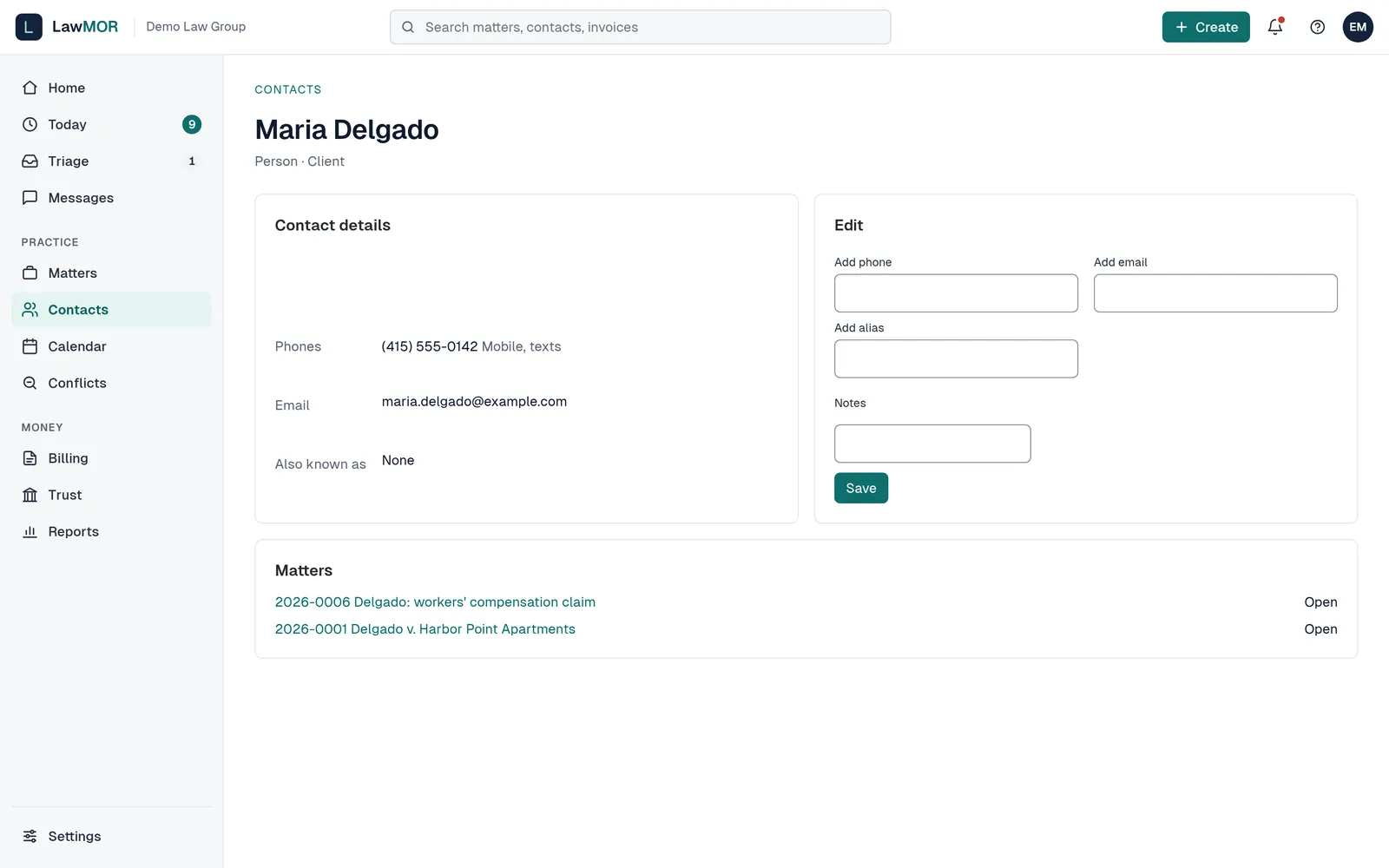
Add the client's email address on their contact. Open the matter's Emails tab
Open the matter and select Emails. Conversations are grouped by subject with the people involved, the number of messages and the latest date. Email also appears in the matter's Activity list.
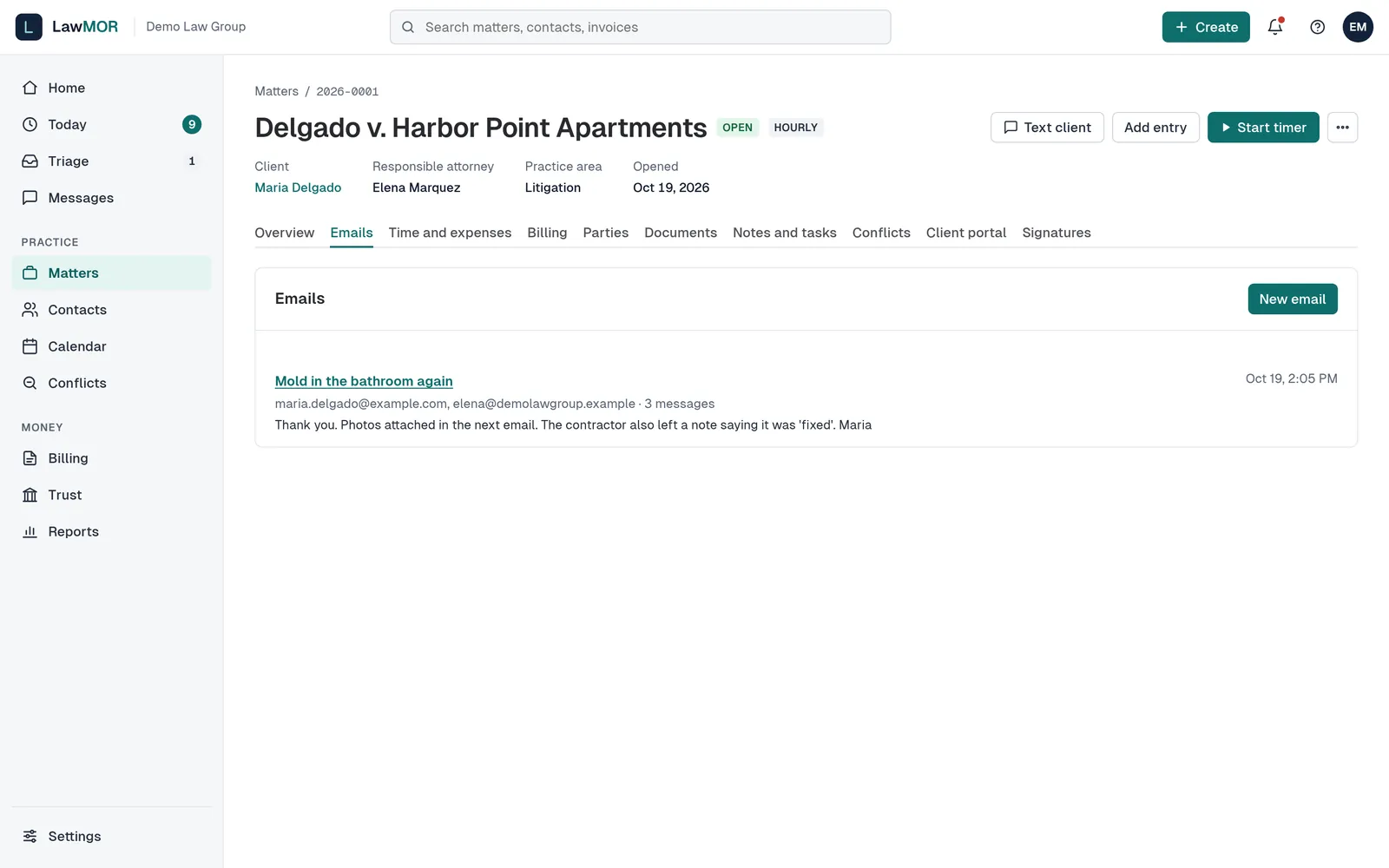
Every email filed to the matter, grouped into conversations. Read a conversation
Select a subject to open it. Each message shows whether it was received or sent, who it was to, whose mailbox it came from and why LawMOR filed it here. Attachments can be downloaded from the message.
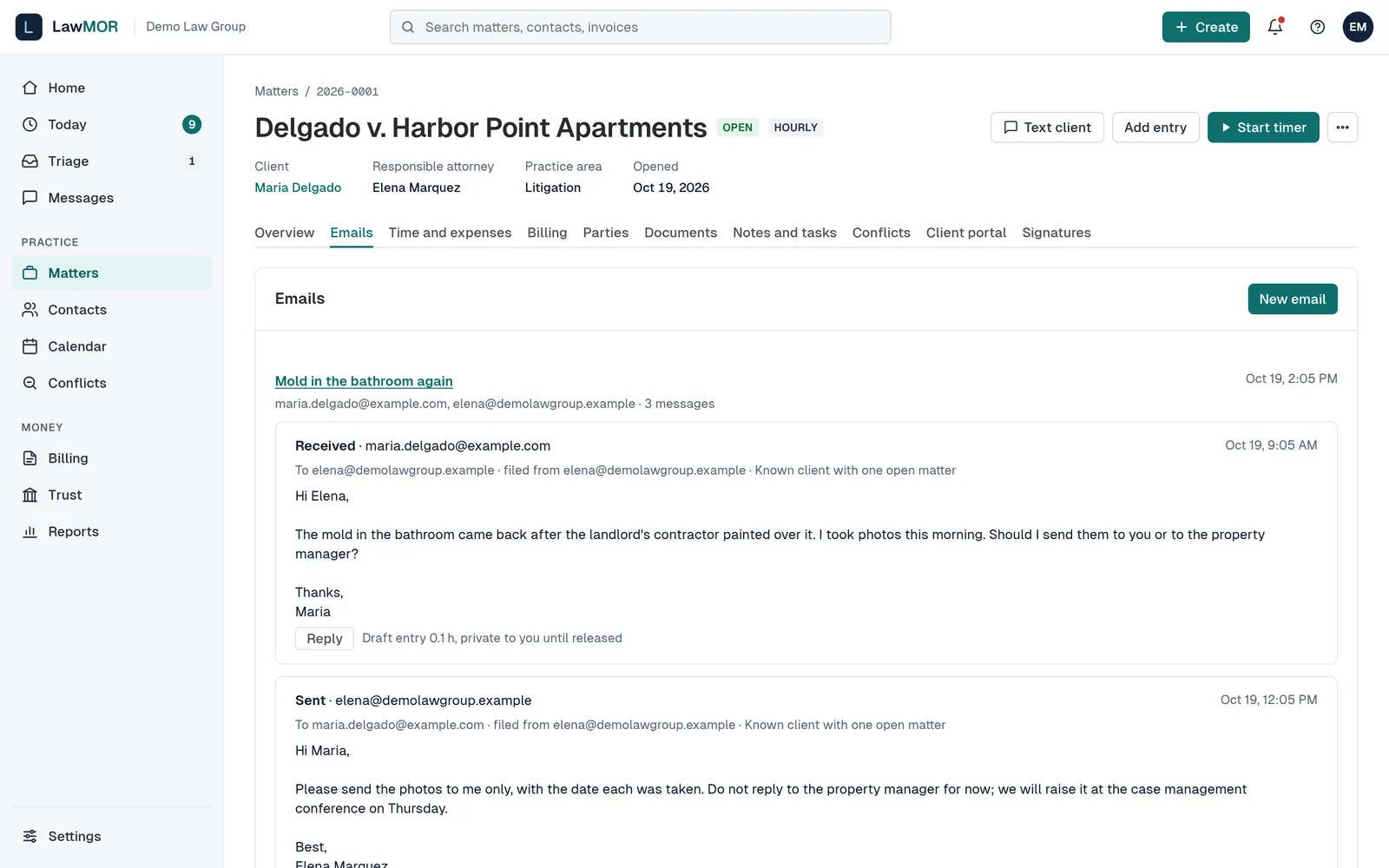
Received and sent messages in one conversation. Reply or write a new email
Select Reply under a message, or New email at the top. Check the To and Cc addresses, write your message and, if needed, tick matter documents to attach (up to 3 MB in total, about 2 MB for Microsoft 365). Select Send. It goes from your own mailbox and the sent copy is filed to the matter.
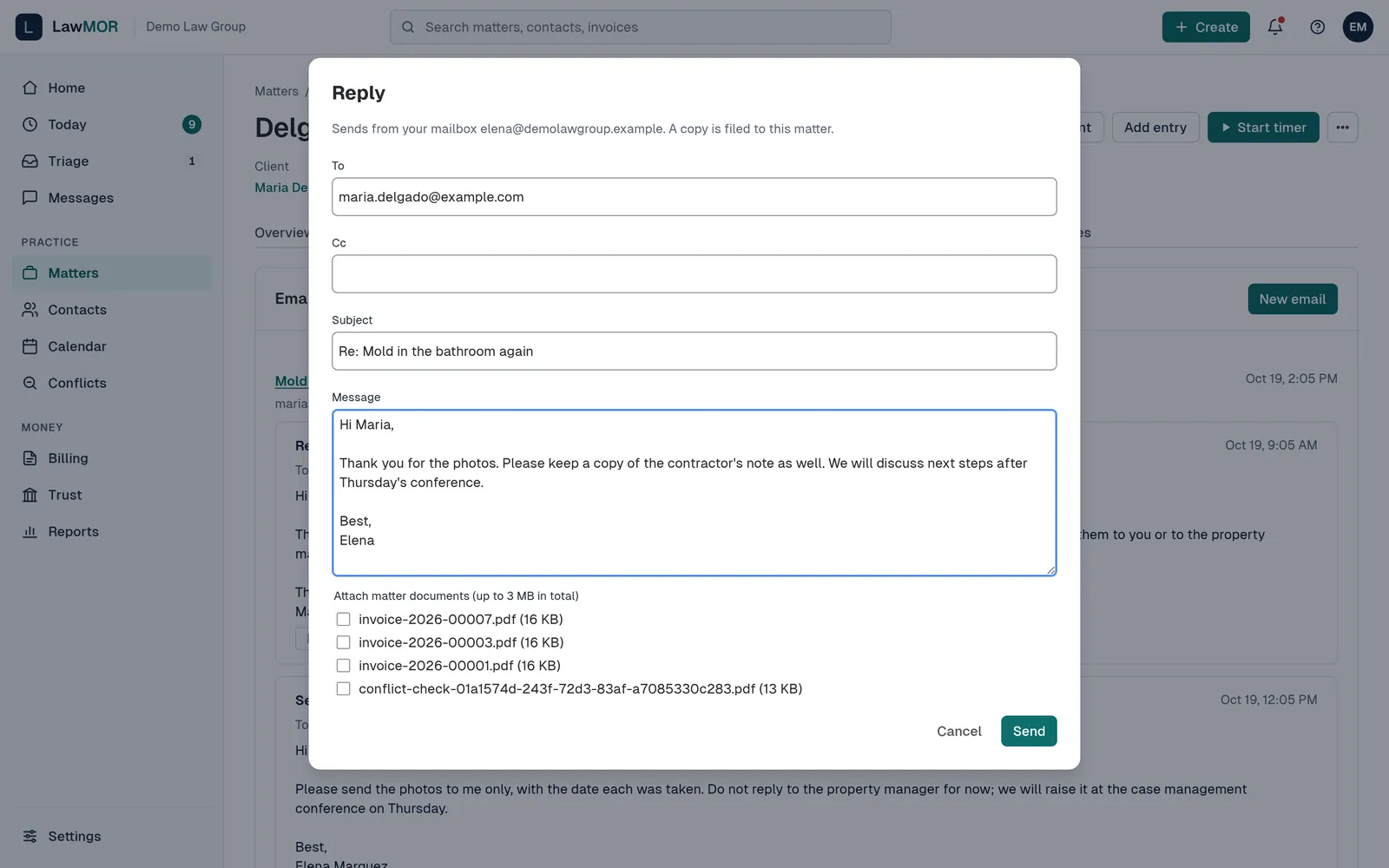
Replies are sent from your own address. Record the time
Sent email creates a private 0.1 h draft if that setting is on. For any other email, select Add time to create one. Review drafts on Today, adjust if the email took longer, and approve them like any other entry.
Did this not answer your question? Contact support and we will reply within one business day.